

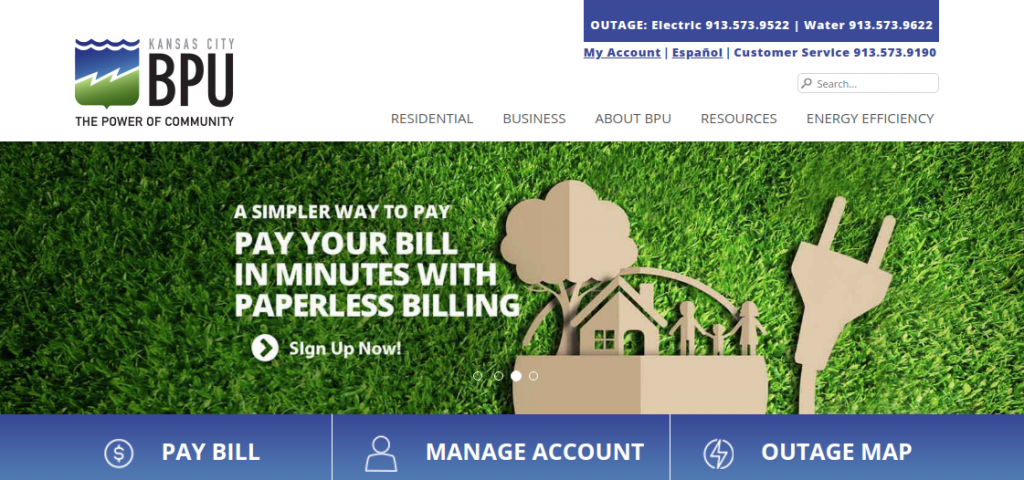
bpu.com through e-Services.
The Kansas City Board of Public Utilities (BPU) is an administrative agency of the Unified Government of Wyandotte County / Kansas City, Kansas (UG), providing municipally owned electricity to 65,000 customers and high-quality drinking water to 53,000 customers across a 130-square-mile service area.
Whether you need to log in to your BPU e-Services portal, submit an immediate one-time guest payment via Paymentus, enroll in AutoPay recurring automatic bank drafts or credit card billing, track hourly kilowatt and gallon consumption, report an electric power outage or water leak, or arrange payment assistance, this comprehensive guide covers every billing method and 24/7 municipal contact.
Kansas City BPU Payment Options & Fee Breakdown
Compare available payment options, fees, and posting speeds:
| Payment Channel | Convenience Fee | Posting Speed |
|---|---|---|
| BPU e-Services (Bank ACH) | $0.00 (Free) | Same-Day Posting |
| AutoPay (Automatic Bank Draft) | $0.00 (Free) | On Due Date |
| Paymentus Guest Pay (Card / Wallet) | $2.45 residential fee | Immediate Credit |
| Automated Phone System (Paymentus) | $2.45 fee / Free ACH | Instant Confirmation |
| BPU Customer Care Lobby & Kiosks | $0.00 (Free) | Immediate Posting |
How to Pay Your BPU Bill Online (Step-by-Step)
Method 1: Pay via BPU e-Services Account
- Navigate to: myaccount.bpu.com.
- Enter your Username and Password and click “Log In”.
- From your account summary dashboard, click “Make a Payment”.
- Enter checking account routing number and bank account number.
- Submit payment for zero-fee same-day processing.
Method 2: One-Time Guest Payment (Paymentus)
- Visit BPU Payment Options.
- Click “Pay as Guest”.
- Enter your 10-digit BPU Account Number and Service ZIP Code.
- Enter Debit/Credit card (Visa, MasterCard, Discover) details.
- Confirm the $2.45 fee and submit your payment.
Alternative Payment Channels
- AutoPay Setup: Automatically pay your monthly statement directly from your checking account on your due date with zero transaction fees.
- Level Payment Plan: Eliminate high summer electric and winter spikes with equalized 12-month installments.
- Pay by Phone: Call BPU automated telephone banking 24/7 at 1-855-278-2455 (1-855-BPU-BILL).
- Pay by Mail: Send payment check with bill coupon to:
Kansas City Board of Public Utilities
P.O. Box 219525
Kansas City, MO 64121-9525 - In-Person Walk-In Center:
BPU Customer Lobby
540 Minnesota Ave
Kansas City, KS 66101
(Open Mon–Fri 8:00 AM – 5:00 PM; 24/7 drive-thru kiosk available).
Power Outage Reporting & Water Leaks
Kansas City BPU Customer Service Directory
- Customer Billing Support: 913-573-9190 (Mon–Fri 8:00 AM – 5:00 PM CST)
- 24/7 Electric Outage Line: 913-573-9188
- 24/7 Water Emergency Line: 913-573-9622
- Hearing Impaired (TTY): 711
- Official Municipal Portal: bpu.com
- Headquarters: 540 Minnesota Ave, Kansas City, KS 66101
Frequently Asked Questions (FAQ)
What is my BPU Account Number?
Your BPU account number is a 10-digit number located at the top-right corner of your monthly consolidated utility billing statement.
How do I apply for utility payment assistance in Wyandotte County?
Eligible households can apply for the Low-Income Energy Assistance Program (LIEAP) through the Kansas Department for Children and Families (DCF) or apply for BPU Customer Hardship utility grants by calling 913-573-9190.
Related Kansas City Utility Guides:
Disclaimer: BillPayment.guide is an independent municipal utility guide and is not affiliated with, endorsed by, or operated by the Kansas City Board of Public Utilities. All trademarks belong to BPU.

Anisur Rahman brings over 17 years of experience at the intersection of complex technology and digital strategy to BillPayment.guide. Active in the digital space since 2009, Anisur uses his deep industry insights to break down financial technologies, secure online payment methods, and digital platforms. His actionable guides help readers navigate the fast-paced digital economy and manage their online transactions with confidence.
