

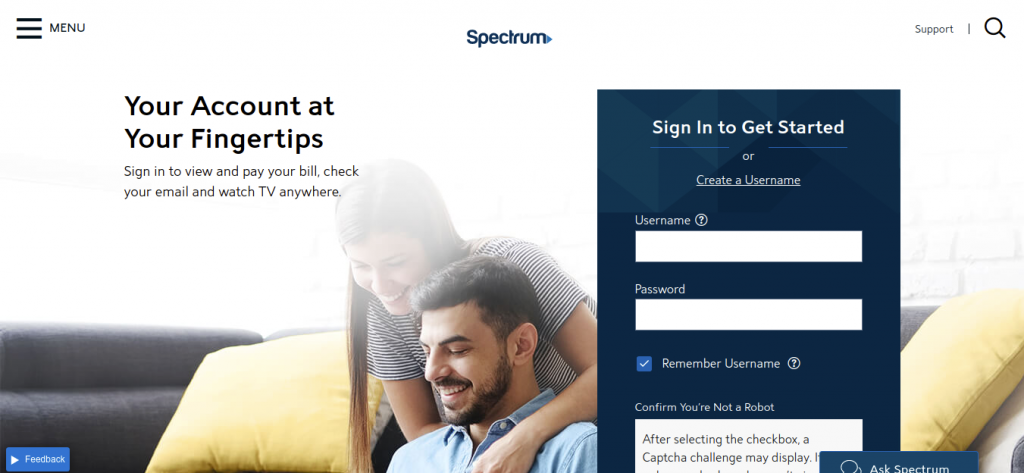
spectrum.net.
Bright House Networks was a major regional cable, broadband internet, and digital telephone provider serving millions of subscribers across Central Florida (Orlando, Tampa Bay, Daytona Beach), Indianapolis, Bakersfield, Birmingham, and Detroit. Following Charter Communications’ acquisition of Bright House Networks and Time Warner Cable, all customer accounts were consolidated into Spectrum.
Whether you hold a legacy Bright House Networks account or transitioned to modern Spectrum packages, this comprehensive guide explains how to log in to Spectrum.net, make instant one-time guest payments, set up automatic recurring AutoPay, troubleshoot equipment, and contact 24/7 technical support.
Spectrum (Bright House) Payment Channels & Fee Breakdown
Compare available payment options, convenience fees, and posting speeds:
| Payment Channel | Convenience Fee | Posting Speed |
|---|---|---|
| Spectrum.net Online Portal (Bank / Card) | $0.00 (Free) | Immediate Posting |
| Spectrum Quick Pay (No Login Guest) | $0.00 (Free) | Immediate Posting |
| AutoPay (Automatic Bank Draft / Card) | $0.00 (Free) | On Due Date |
| Automated Phone System (IVR) | $0.00 (Free) | Instant Confirmation |
| Live Representative Assistance | $5.00 agent fee | Immediate Posting |
How to Pay Your Bright House (Spectrum) Bill Online (Step-by-Step)
Method 1: Pay via Spectrum.net Customer Portal
- Navigate to: spectrum.net.
- Click “Sign In” and enter your Spectrum Username and Password.
- Navigate to the “Billing” section and click “Make a Payment”.
- Select payment amount: Total Balance Due, Past Due Balance, or Custom Amount.
- Select payment method: Checking/Savings Account (ACH) or Debit/Credit Card (Visa, MasterCard, Discover, Amex).
- Confirm payment submission to receive an instant electronic receipt.
Method 2: One-Time Quick Pay (No Registration Required)
- Visit Spectrum Quick Pay.
- Enter your Spectrum / Bright House Account Number and Security Code (or 4-digit PIN).
- Enter payment card or bank details and submit for instant zero-fee posting.
Alternative Payment Channels
- My Spectrum Mobile App: Check internet speeds, pay bills, and troubleshoot equipment on iOS and Android.
- Pay by Phone: Call Spectrum automated telephone billing toll-free at 1-833-267-6094 (1-833-267-6094).
- Pay by Mail: Send payment check with bill coupon to the regional Spectrum remittance address listed on your bill.
- Spectrum Retail Stores: Pay in person with cash, check, or card at any local Spectrum store.
Spectrum Customer Care & Support Directory
- Customer Support & Technical Care: 1-833-267-6094 (Available 24/7/365)
- Hearing Impaired (TTY): 711
- Official Customer Portal: spectrum.net
- Corporate Headquarters: Charter Communications, Stamford, CT
Frequently Asked Questions (FAQ)
Can I still use my old Bright House email address?
Yes. Legacy Bright House email addresses (e.g., @cfl.rr.com, @tampabay.rr.com, or @brighthouse.com) remain active and can be accessed via Spectrum Webmail at webmail.spectrum.net.
What is my Spectrum Security Code?
Your Security Code is a 4-digit PIN located on the first page of your Spectrum statement near your account number, used to verify identity when making payments or calling support.
Related Cable & Broadband Guides:
Disclaimer: BillPayment.guide is an independent telecommunications guide and is not affiliated with, endorsed by, or operated by Bright House Networks or Charter Communications (Spectrum). All trademarks belong to Charter Communications.

Anisur Rahman brings over 17 years of experience at the intersection of complex technology and digital strategy to BillPayment.guide. Active in the digital space since 2009, Anisur uses his deep industry insights to break down financial technologies, secure online payment methods, and digital platforms. His actionable guides help readers navigate the fast-paced digital economy and manage their online transactions with confidence.
