

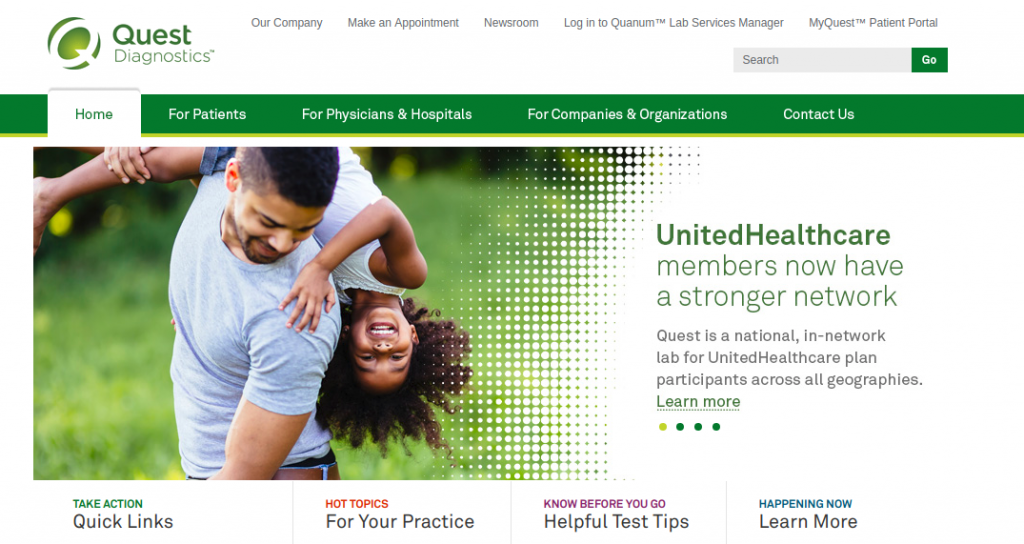
questdiagnostics.com/bill or via the MyQuest portal.
Quest Diagnostics is America’s leading provider of clinical diagnostic testing, information, and services, serving one in three American adults and half the physicians and hospitals in the United States annually across thousands of Patient Service Centers (PSCs).
Whether you need to pay a lab invoice online using your Invoice Number, view lab test results in MyQuest, submit updated health insurance information for rebilling, set up an interest-free payment plan, or pay with your HSA/FSA debit card, this comprehensive guide covers every billing method and patient support contact.
Quest Diagnostics Billing Options & Payment Methods Breakdown
Compare available payment options, fees, and posting speeds:
| Payment Channel | Convenience Fee | Posting Speed |
|---|---|---|
| Quest Online Bill Pay (No Login Required) | $0.00 (Free) | Immediate Posting |
| MyQuest Patient Portal / App | $0.00 (Free) | Immediate Posting |
| Automated Phone System (IVR) | $0.00 (Free) | Instant Confirmation |
| Quest Patient Financial Assistance Plan | $0.00 (Free) | Monthly installment agreements with 0% interest |
How to Pay Your Quest Diagnostics Bill Online (Step-by-Step)
- Locate your paper statement or electronic invoice notification.
- Find your Invoice Number (located at the top-right corner of the billing voucher).
- Navigate to: questdiagnostics.com/bill.
- Enter your Invoice Number and the patient’s Date of Birth or Billing ZIP Code.
- Click “Find Invoice” to view your itemized lab tests, insurance adjustments, and patient balance.
- Select payment method: Debit Card, Credit Card (Visa, MasterCard, Discover, Amex), Health Savings Account (HSA/FSA), or PayPal.
- Submit payment to receive an immediate electronic transaction receipt.
How to Update Health Insurance Information Online
If Quest billed you directly because your insurance was missing or rejected:
- Log into
questdiagnostics.com/bill. - Select “Update Insurance”.
- Enter your Insurance Carrier Name, Member ID Number, Group Number, and Insured Name.
- Submit the information. Quest will automatically reprocess the claim with your insurance company.
Alternative Payment Channels
- MyQuest Mobile App: View secure lab test results, track health trends, and pay invoices on iOS and Android.
- Pay by Phone: Call Quest Diagnostics automated billing at 1-866-MYQUEST (1-866-697-8378).
- Pay by Mail: Send payment check with billing remittance voucher to the Quest Diagnostics remittance address listed on your statement.
Quest Diagnostics Billing Support Directory
- Billing Customer Support: 1-866-697-8378 (Mon–Fri 8:00 AM – 7:00 PM EST)
- Hearing Impaired (TTY): 711
- Official Payment Website: questdiagnostics.com/bill
- Corporate Headquarters: 500 Plaza Drive, Secaucus, NJ 07094
Frequently Asked Questions (FAQ)
Does Quest Diagnostics accept HSA and FSA cards?
Yes. Quest Diagnostics clinical lab tests are qualifying medical expenses under IRS guidelines. You can pay with your Health Savings Account (HSA) or Flexible Spending Account (FSA) debit card online or by phone.
What is Quest’s Patient Financial Assistance Program?
Quest Diagnostics offers financial assistance and reduced fee schedules for uninsured or underinsured patients who meet federal poverty income guidelines. Call 1-866-697-8378 to request an application.
Related Healthcare Billing Guides:
Disclaimer: BillPayment.guide is an independent medical information resource and is not affiliated with, endorsed by, or operated by Quest Diagnostics Incorporated. All trademarks belong to Quest Diagnostics.

Anisur Rahman brings over 17 years of experience at the intersection of complex technology and digital strategy to BillPayment.guide. Active in the digital space since 2009, Anisur uses his deep industry insights to break down financial technologies, secure online payment methods, and digital platforms. His actionable guides help readers navigate the fast-paced digital economy and manage their online transactions with confidence.
