

chase.com or via the Chase Mobile App.
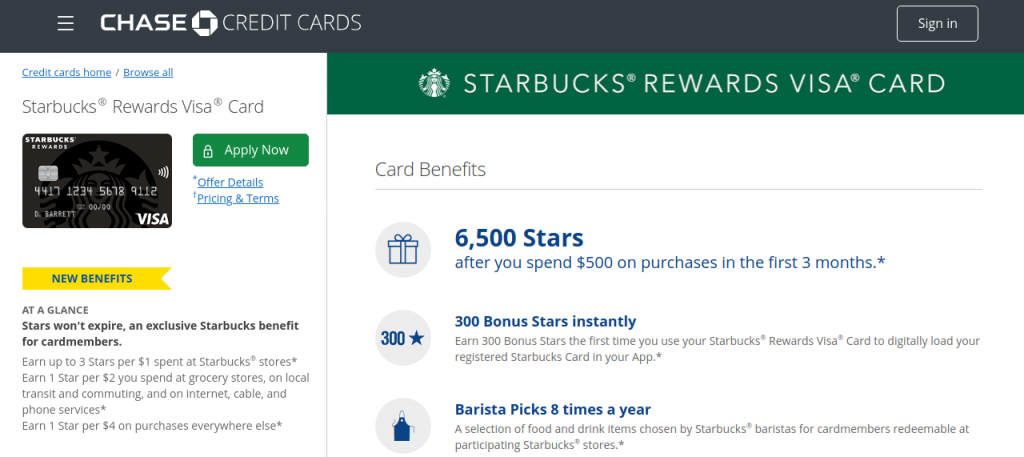
The Starbucks Rewards Visa Card (issued by JPMorgan Chase Bank, N.A.) enables coffee aficionados to earn bonus Stars everywhere they spend: up to 3 Stars per $1 spent at Starbucks stores when loading funds to the Starbucks app, 1 Star per $2 spent on grocery store purchases, local transit, and internet/cable/phone bills, and 1 Star per $4 spent on all other purchases with Stars that never expire.
Whether you need to log in to Chase Online Banking, submit an immediate monthly card payment, set up automatic recurring monthly AutoPay, track Starbucks Star deposits, or contact cardholder care, this comprehensive guide covers every payment channel and customer support contact.
Starbucks Rewards Visa Payment Options Overview
Compare available payment options, fees, and posting speeds:
| Payment Channel | Convenience Fee | Posting Speed |
|---|---|---|
| Chase Online & Mobile App (Bank ACH) | $0.00 (Free) | Same-Day Credit if made by 8:00 PM EST |
| AutoPay (Automatic Bank Draft) | $0.00 (Free) | On Monthly Payment Due Date |
| Chase Bank Branches | $0.00 (Free) | Immediate Available Credit Restoration |
| Automated Phone Banking (IVR) | $0.00 (Free) | Instant Confirmation |
How to Pay Your Starbucks Rewards Visa Online (Step-by-Step)
- Navigate to: chase.com (or open Chase Mobile App).
- Enter your Username and Password and click “Sign In”.
- Select your active Starbucks Rewards Visa account.
- Click “Pay Card”.
- Select payment source: Chase checking account or external bank account (ACH).
- Choose payment amount: Minimum Due, Statement Balance, or Custom Amount.
- Submit payment to receive an instant electronic confirmation receipt.
Alternative Payment Channels
- Chase Mobile App: View Star earnings, lock misplaced cards, and pay bills on iOS and Android.
- Chase Bank Branches: Pay in person with cash or check at over 4,700 Chase branch locations nationwide.
- Pay by Phone: Call Chase Card Customer Service toll-free 24/7 at 1-800-432-3117.
- Pay by Mail: Send payment check with statement coupon to:
Cardmember Services
P.O. Box 6294
Carol Stream, IL 60197-6294
Starbucks Rewards Visa Support Directory
- Cardholder Customer Support (24/7): 1-800-432-3117
- Hearing Impaired (TTY): 1-800-955-8060
- Starbucks Customer Care: 1-800-782-7282 (1-800-STARBUC)
- Official Banking Portal: chase.com
- Bank Issuer: JPMorgan Chase Bank, N.A., Wilmington, DE
Frequently Asked Questions (FAQ)
Do Starbucks Stars expire with the credit card?
No. For active Starbucks Rewards Visa cardholders, Stars earned on your Starbucks Rewards account never expire as long as your card account is open.
Can I pay my credit card bill at a Starbucks store register?
Starbucks store registers and drive-thrus cannot accept credit card payments for Chase accounts; all payments must be made online, via the Chase app, by phone, or by mail.
Related Food & Lifestyle Credit Guides:
Disclaimer: BillPayment.guide is an independent consumer credit guide and is not affiliated with, endorsed by, or operated by Starbucks Corporation or JPMorgan Chase Bank, N.A. All trademarks belong to their respective owners.

Anisur Rahman brings over 17 years of experience at the intersection of complex technology and digital strategy to BillPayment.guide. Active in the digital space since 2009, Anisur uses his deep industry insights to break down financial technologies, secure online payment methods, and digital platforms. His actionable guides help readers navigate the fast-paced digital economy and manage their online transactions with confidence.
